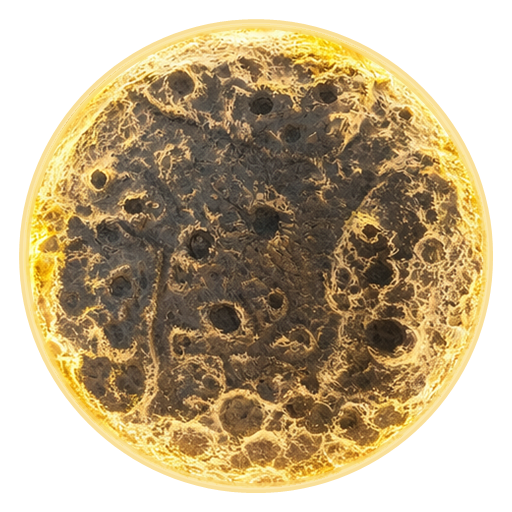
Your creative evening
Create your own Moon
It starts with a simple base and ends with your very own glowing Moon. Small irregularities will make it feel natural and unique.
- Time to work with the mixture
- 30-40 minutes
- Texture drying time
- About 10-12 hours
Before you begin
Cover your table, lay out the materials and put on gloves. Prepare water, a mixing bowl, a measuring jug or kitchen scales, and scissors for the strip. Put on your favourite music and give yourself time to create.
You will need the MDF base, LED strip with USB cable, dry texture mix, black and white acrylic paints, brushes, sculpting tools and sponges from the kit.
Step 01
Attach the LED strip
The kit includes 1 metre of LED strip. You will need less for the lamp: first fit it around the inner rim, then cut off the excess.
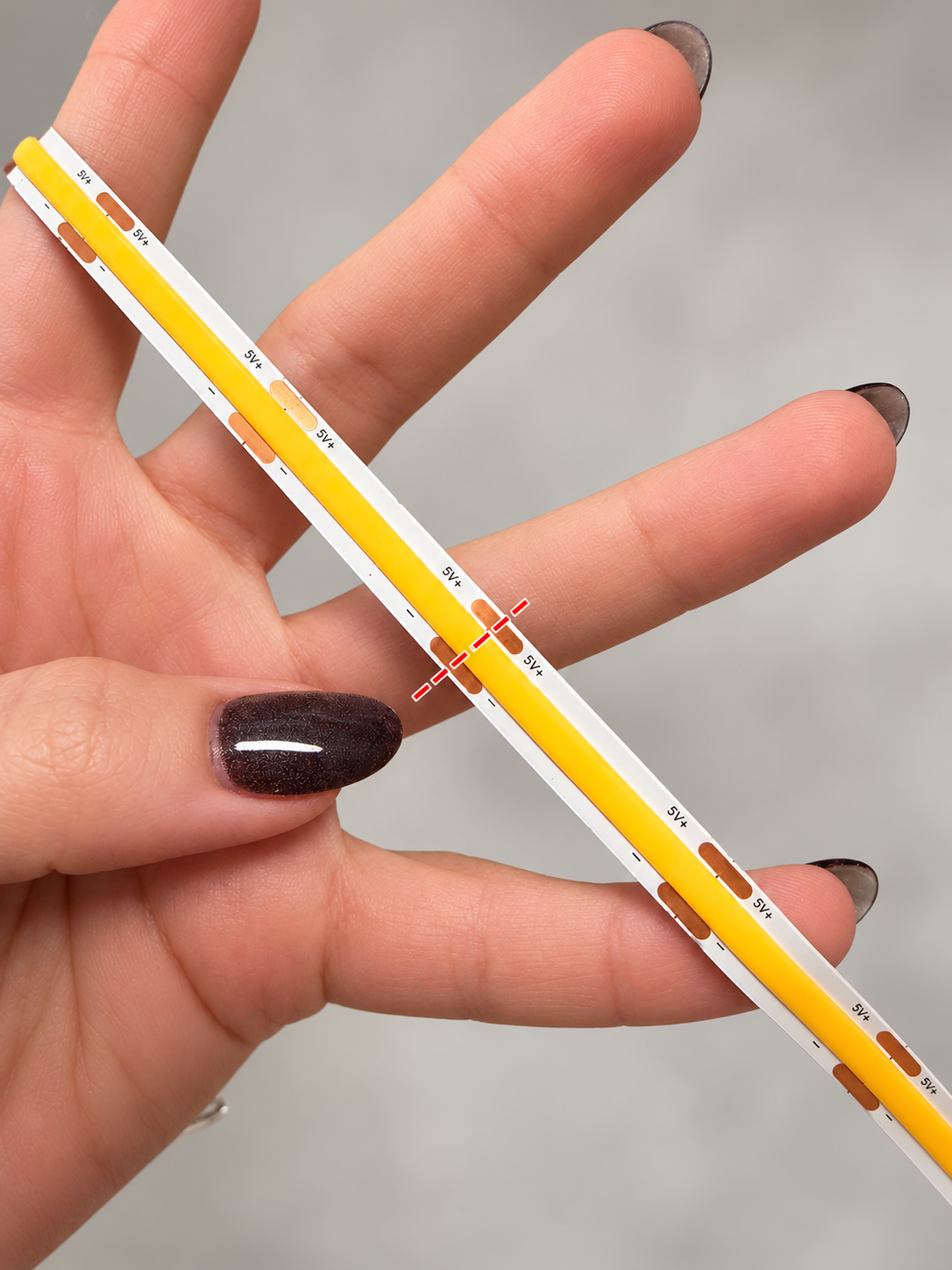
- Briefly check that the strip lights up, then disconnect the USB cable from the power supply.
- Make sure the bonding surface is clean, dry and dust-free. Test-fit the strip around the inner rim, starting from the cable end. Leave the cable outside without pulling it tight.
- Gradually peel off the adhesive backing and press the strip onto the rim. Do not twist it, bend it sharply or overlap it.
- Once the strip is attached around the rim, leave the excess tail loose. Find the nearest factory cutting mark before the end of the rim and cut there. A small gap is better than an overlap.
Step 02
Prepare the base
Remove dust from the front of the MDF base. Before applying the texture compound, you can optionally use a primer suitable for MDF or brush on a thin layer of white acrylic paint.
This step is optional. If you use primer or paint, let it dry completely according to the product instructions. Only then apply the texture compound. Do not coat the LED strip with primer or paint.
Step 03
Mix the texture compound
If you are using the dry mix supplied in the MoonLamp kit, use the following ratio:
130 g dry mix + 60 ml water
This ratio is for the dry mix included in the kit. Other mixes may need less or more water. Follow the manufacturer's instructions.
- Pour the dry mix into the mixing bowl.
- Measure the water using a measuring jug or kitchen scales and add it to the mix.
- Stir thoroughly until smooth, with no dry lumps.
The mixture should be thick enough to hold its shape. If it is too dry, add water a little at a time. If it is too runny, add a little more dry mix if you have some left.
After mixing, you have about 30-40 minutes to apply the mixture and shape the texture. Only mix it when the base is ready. If the packaging specifies different ratios or working times, follow those instructions.
Step 04
Create craters and lunar texture
- Spread the mixture over the front of the base, leaving it slightly uneven. Avoid very thick areas: they take longer to dry and may crack.
- Use the tools and sponges from the kit to create craters of different sizes, hollows and raised edges.
- Combine large and small details. Leave some smoother areas between them for a more natural surface.
Look at photographs of the real Moon for inspiration. There is no need to copy every crater: your Moon does not have to look like anyone else's.
Keep the strip disconnected while working with wet materials. Do not cover the LEDs, cable or button with mixture.
Step 05
Let the texture dry
Leave the base lying flat in a dry, ventilated room for about 10-12 hours. A thicker layer, cool temperatures or high humidity may increase drying time.
Do not rush drying with a hairdryer or heater: drying too quickly may cause cracks. It is best to leave your Moon to dry naturally overnight.
Before painting, make sure the entire layer is dry, not just the surface. Damp or soft areas need more time.
Step 06
Add colour, shadows and highlights
The kit includes two acrylic paints: black for shadows and depth, and white for highlights. Mix them to create different shades of grey.
- Apply your base colour to the dry texture. Your Moon does not have to be the same shade all over.
- Add a darker shade inside craters and hollows to emphasise their depth.
- Once this layer is dry, put a little white paint on a dry brush and wipe off the excess on a tissue. Lightly brush over the raised areas.
Light edges and dark hollows will bring out the texture. Add paint gradually to keep the transitions natural.
Step 07
Paint the outer rim
If you wish, paint the outer rim black, white or a mixed shade of grey. You can also use your own acrylic paint in another colour.
Work carefully near the LED strip and let the paint dry completely before switching on.
Step 08
Light up your Moon
- Make sure the mixture and paint are completely dry and there is no moisture or residue on the strip or connectors.
- Position the lamp securely so it cannot fall and the cable is not trapped. Connect the USB cable to a suitable adapter.
- Switch on the light using the button on the cable. Press and hold to adjust the brightness; press and hold again to change it in the opposite direction.
Choose a comfortable brightness and enjoy the result. You now have your own little Moon, with texture, character and light you created yourself.
Need help?
If something is not working or you have a question about the materials, message us. A photo will help us understand the issue faster.
WhatsApp: +371 26697361Back to the top